
Know when your GPU is about to fry
before it does.
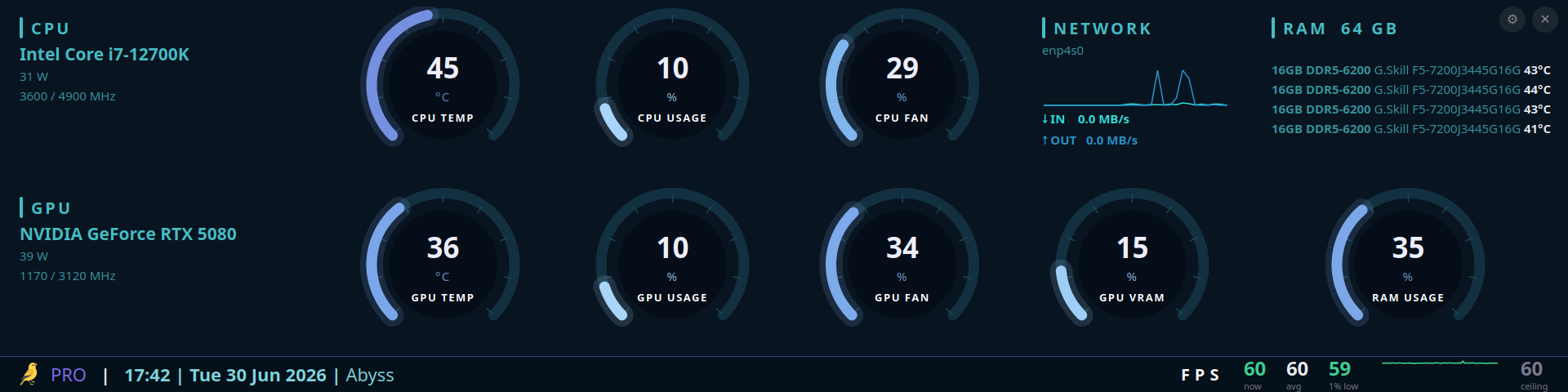
Thermal Canary is a fullscreen Linux hardware monitor.
Not an overlay, not an OSD widget sitting on top of your game like AIDA64's sensor panel - a real standalone window you point a screen at.
Its layout adapts fluidly to any screen and aspect ratio, so you can dedicate a spare display to it: an ultrawide strip (a 1920x480 stretched panel is a favorite), a small IPS side-screen, or any monitor you point at your rig.
Pro adds crash forensics, throttle diagnosis, and a silent in-game alert toast on top of the free desktop app for Linux.
Perpetual license · no subscription · no telemetry, no cloud sync
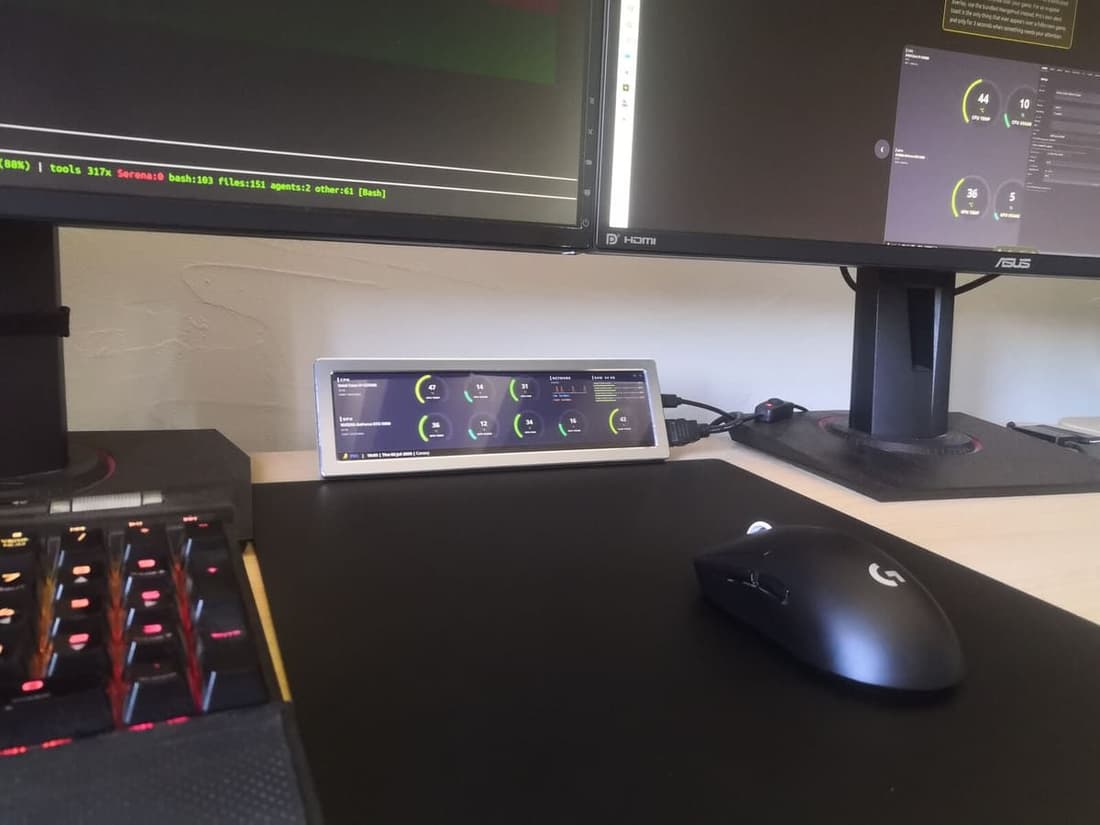
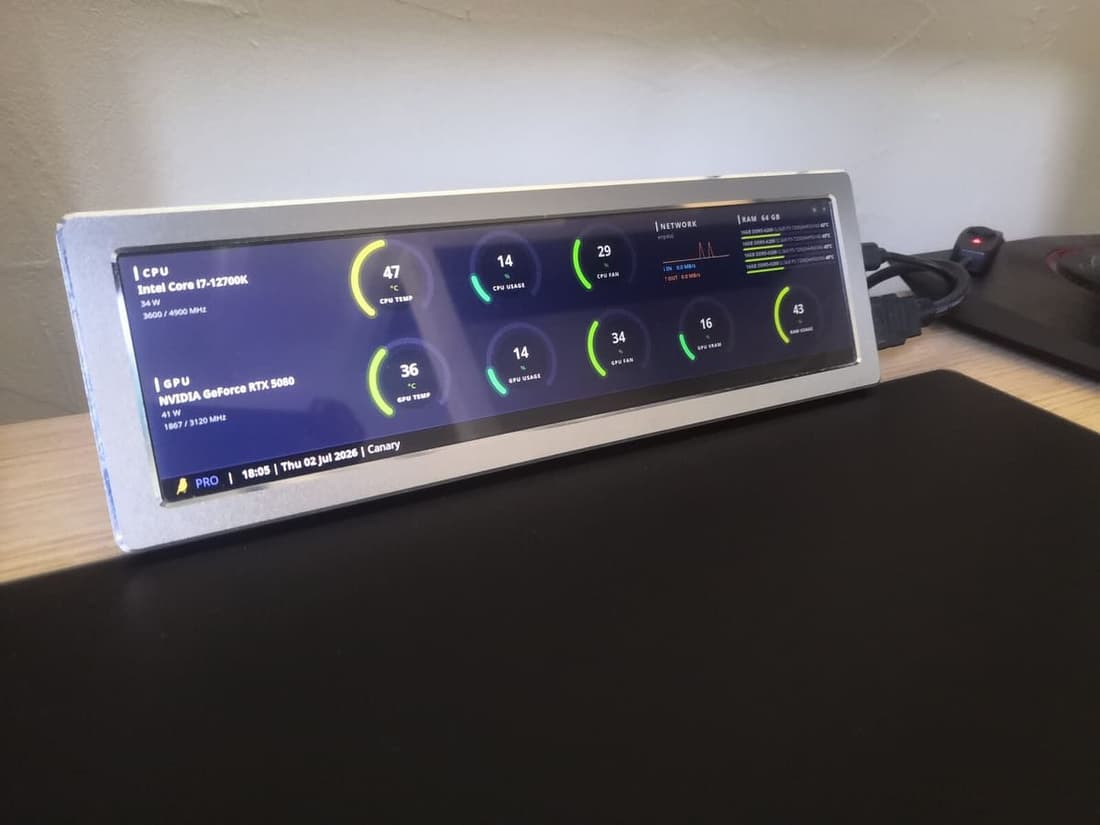
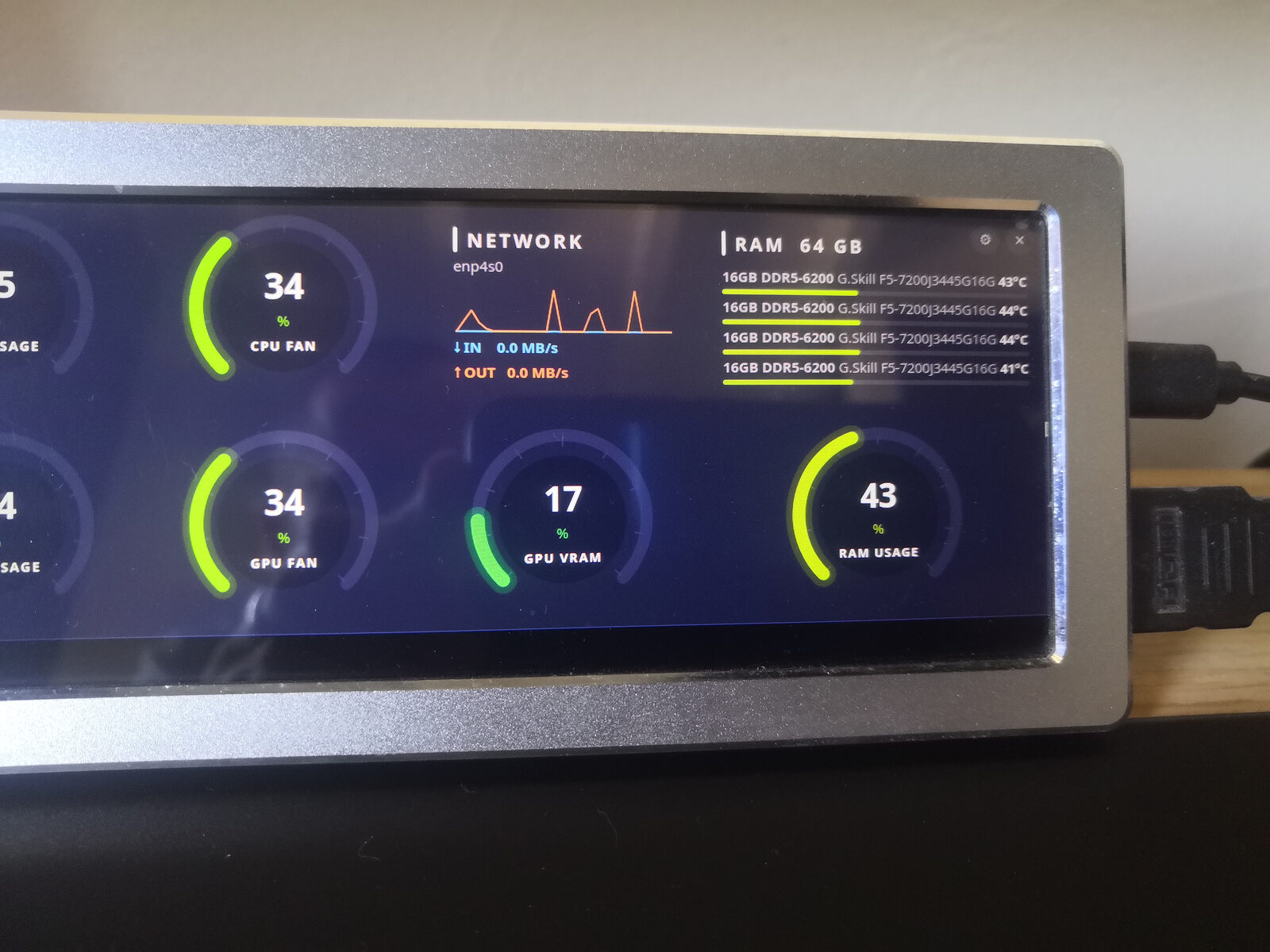
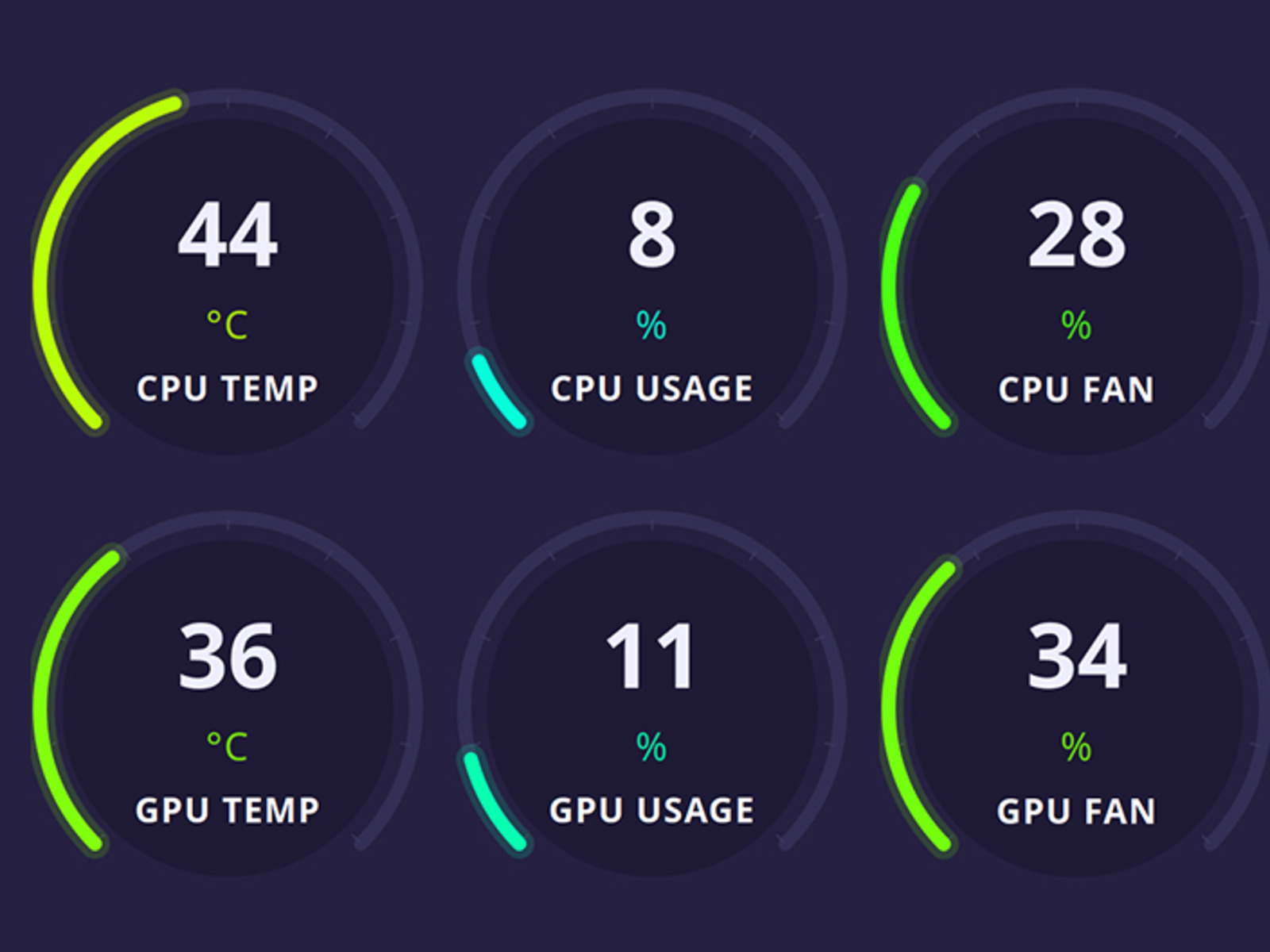
The real app, running on real hardware.
Ninety seconds of the actual Pro dashboard: live sensor gauges reacting to load, the Canary, Carbon and Abyss themes, the Session History panel, and the full-screen Rain and Space Burn-in Prevention animations. No narration, no cuts, no mockups.
If you run your hardware hard, this is for you.
Built for the people who actually watch their numbers.
Linux gamers
Steam/Proton with a mid-to-high-end GPU - RTX 4070, RX 7900 XT, and up.
Overclockers
Push CPU/GPU limits and need real thermal feedback, not guesswork.
Linux daily drivers
Arch, Fedora, NixOS - run their machine hard and need it reliable.
Ex-Windows users
Paid for AIDA64 or HWiNFO64, miss a polished GUI on Linux.
Six features that turn a dashboard into a guardian.
Free is a passive display. Pro watches, remembers, and speaks up only when it matters.
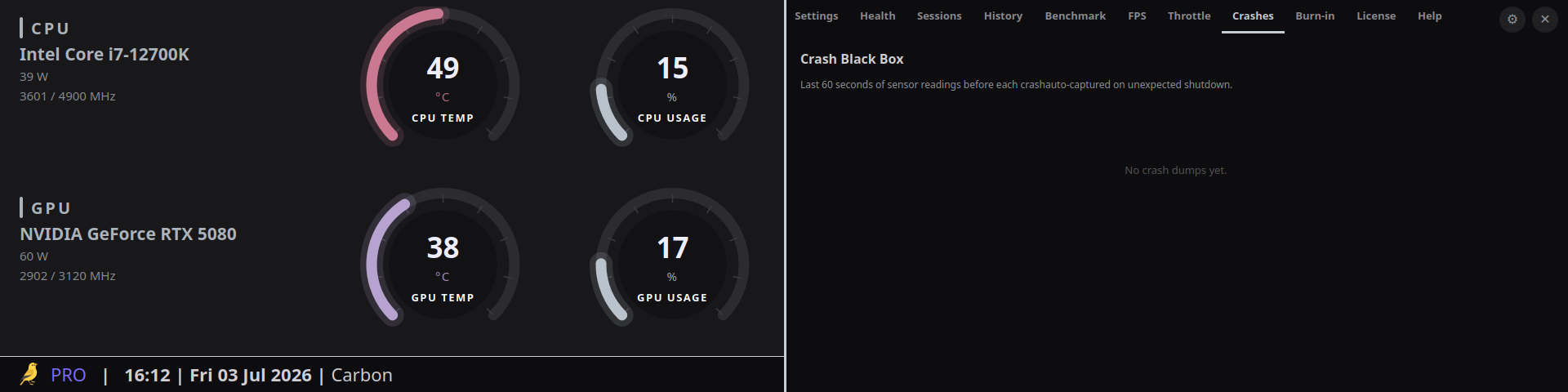
Crash Black Box
A 60-second rolling sensor buffer, auto-dumped the instant your GPU crashes or your PC reboots unexpectedly.
"Your GPU hit 94°C, 340W, right before the crash."
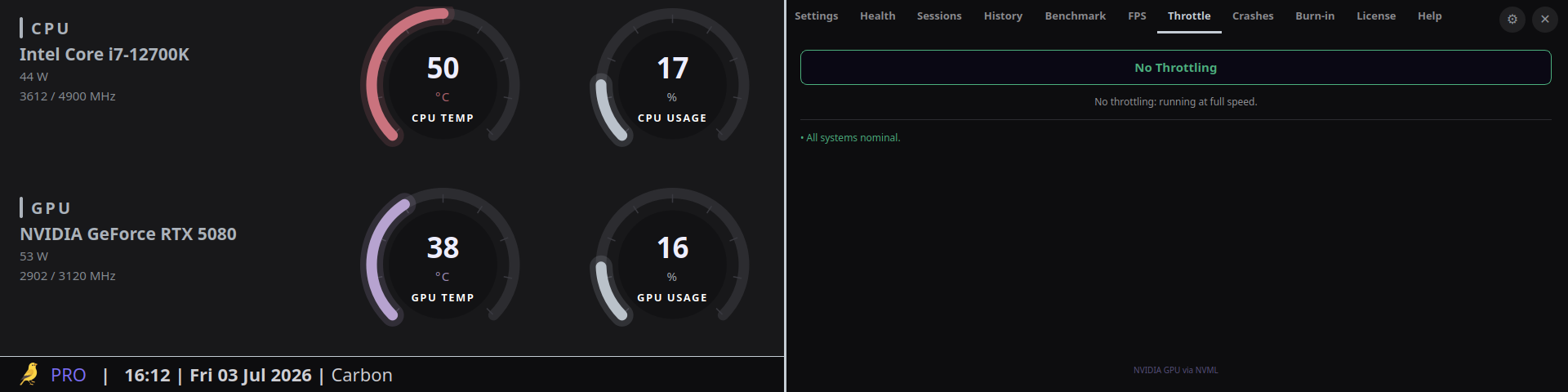
Throttle Detector
MangoHud shows your FPS dropped. Pro tells you why - thermal limit, power limit, or voltage limit - in plain English, live.
"Frame drop at 14:32 - GPU power limit, not heat."
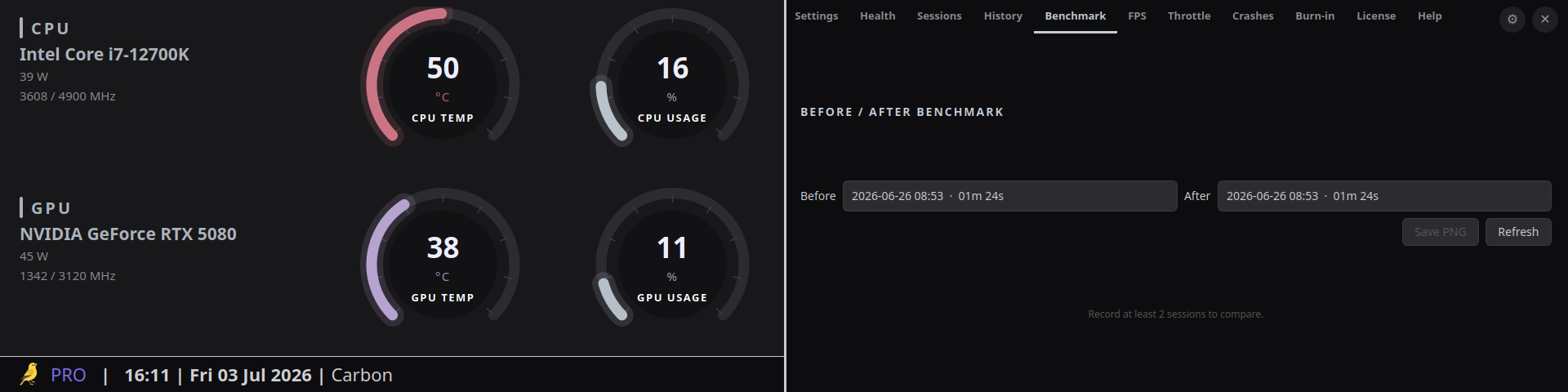
Before/After Benchmark
Repaste your CPU, undervolt your GPU, swap a fan - compare sessions side by side and get a shareable PNG as proof.
"Hotspot delta down 11°C after repaste."
Smart Alert Overlay
Silent until it matters. A 3-second toast over your fullscreen game the moment something needs your attention.
"GPU 87°C - fan stuck?"
Hotspot Delta Analyzer
Tracks the gap between edge and junction temperature over weeks. A growing delta means your paste is drying out - before it fails.
"Delta grew 8°C → 19°C over 60 days. Repaste recommended."
OLED Burn-in Guard
A full-screen animated shader auto-fires when the dashboard sits idle, so a €1500 QD-OLED never bakes gauge outlines into its panel. Theme-matched, GPU-rendered, invisible until it isn't.
"Idle 12 minutes. Wave shader on. Panel safe."
Every sensor. One glance.
Live readings from the app - nothing mocked.
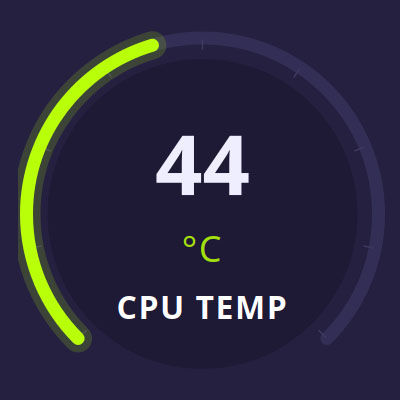
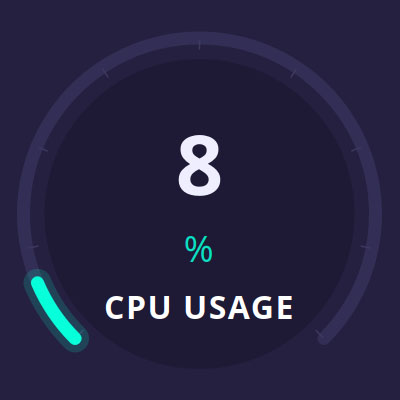
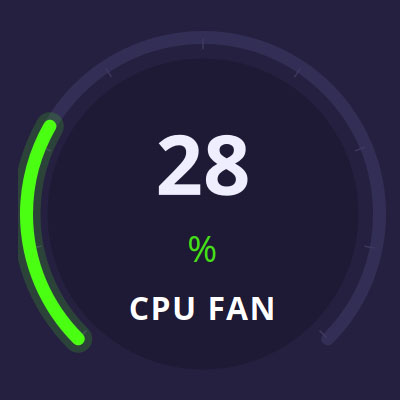
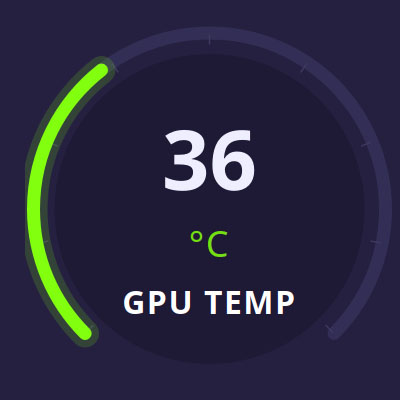
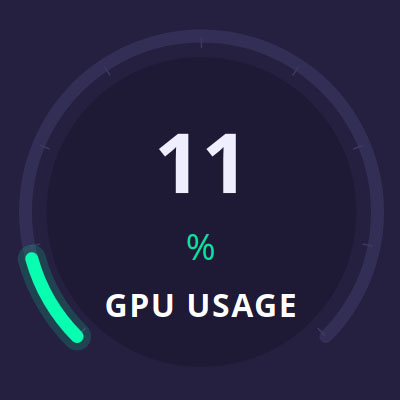
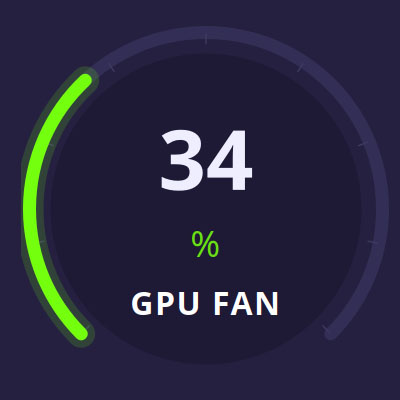
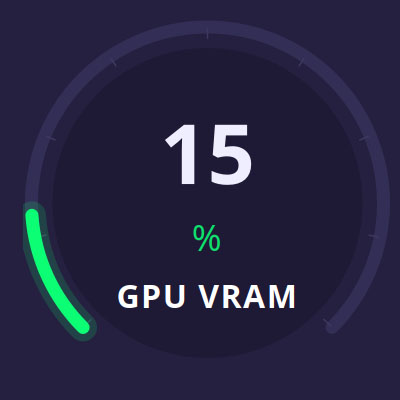
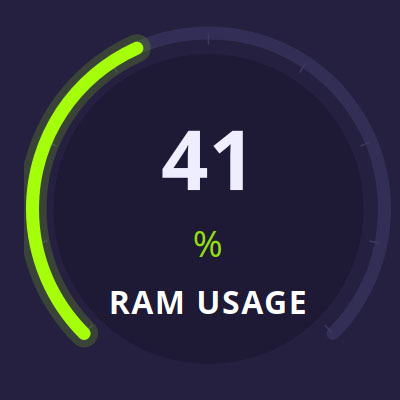
Free shows what's happening now.
Pro tells you what happened, and what's about to.
Thermal Canary Free
- 6-gauge real-time CPU/GPU dashboard
- Fully responsive - any panel shape: ultrawide, portrait, stretched, compact
- Compact + always-on-top modes
- Color-coded visual thermal alerts
- Sensor + monitor pickers on first launch (lm-sensors, NVML, amdgpu)
- System tray icon
No history. No overlay. No alerts beyond the window itself.
Download on GitHubThermal Canary Pro
- Everything in Free, plus:
- Crash Black Box (60s forensic replay)
- Throttle Detector (thermal / power / voltage, live)
- Before/After Benchmark with shareable PNG
- Smart Alert Overlay in fullscreen games
- Hotspot Delta Analyzer (AMD, paste-aging detector)
- Session history, CSV export, full hardware health diagnostic
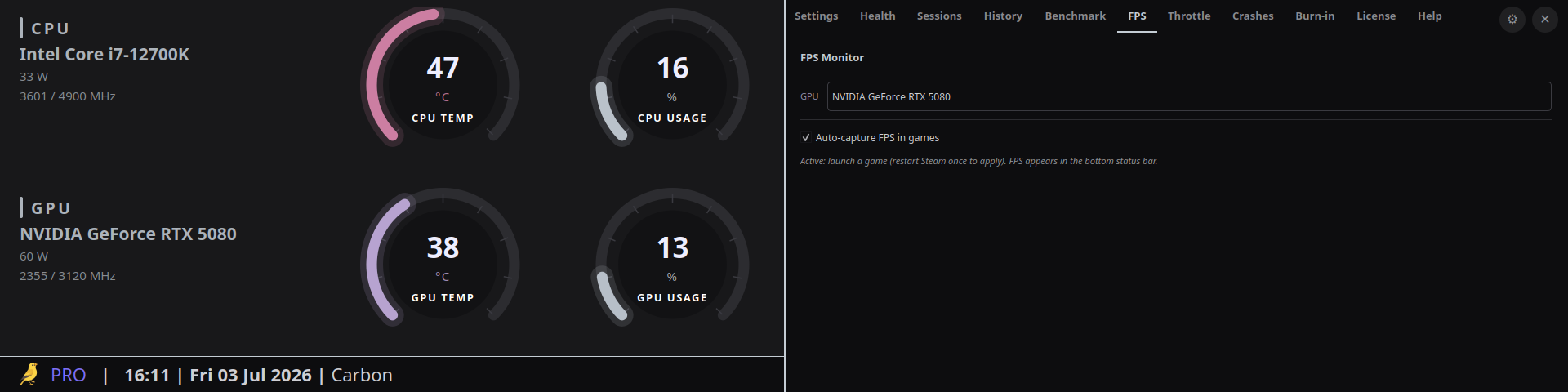
- Live FPS strip (MangoHud, auto-captured) + GPU/CPU power readout
- CPU/GPU/RAM model, live clocks, and rated RAM speed on the dashboard
- Launch on system startup (XDG autostart)
- Custom color themes + burn-in protection
The full Pro feature set.
Beyond the six headline features, Pro is packed with the kind of detail power users actually check for.
Sessions
- Wall-clock session windows, manual start/stop
- Per-sensor max/avg accumulation
- Session history panel with table view
- CSV export of any session
FPS monitoring
- MangoHud bundled, no separate install
- Auto-capture FPS in games (opt-in, invisible overlay)
- Always-on status bar: clock, GPU power, live FPS strip
- Optional CPU power via Intel RAPL (one-time pkexec)
- Multi-GPU selector
- FPS + temperature correlation in session data
Hardware identity
- CPU/GPU/RAM model + live clocks on the dashboard
- RAM type, size, and rated speed (SMBIOS/DMI)
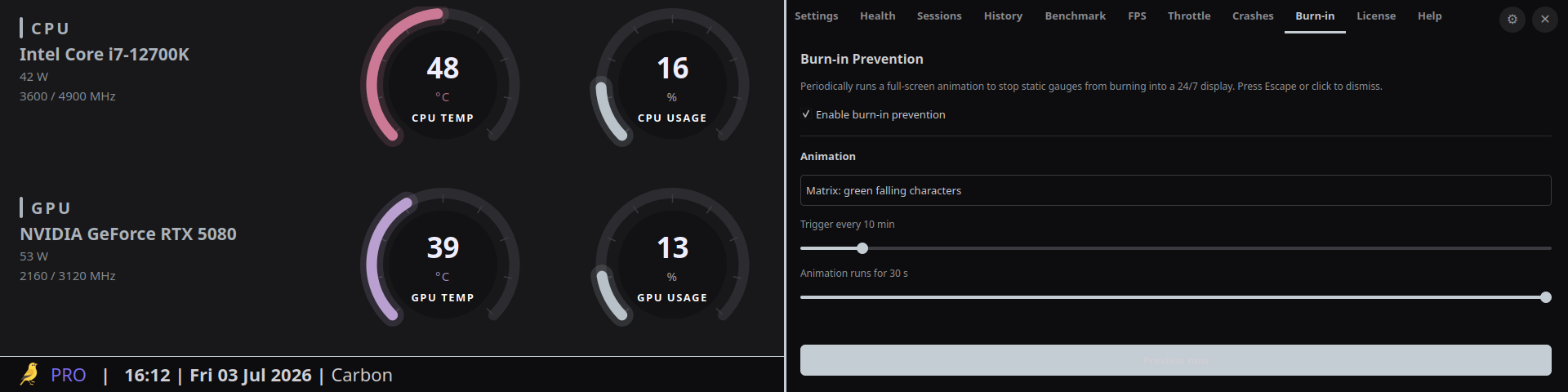
Burn-in prevention
- Full-screen screensaver overlay (matrix, rain, wave, space)
- GPU shader rendering with CPU fallback
- Per-theme animation, auto-selected
- In-app settings panel: pick animation, interval, duration
Setup & licensing
- Single AppImage - runs on any Linux, no install, Pro unlocked by key
- Launch on system startup (XDG autostart toggle)
- Stripe checkout, Ed25519 offline token
- 14-day offline grace period
- Instant re-activation on machine swap, no support ticket
Hardware health
- Full diagnostic engine (Free gets a summary only)
- Thresholds mapped to plain-English conditions, not raw numbers
- Health panel with per-component status
- Runs fully local - no data leaves your machine
Every tab, before you buy.
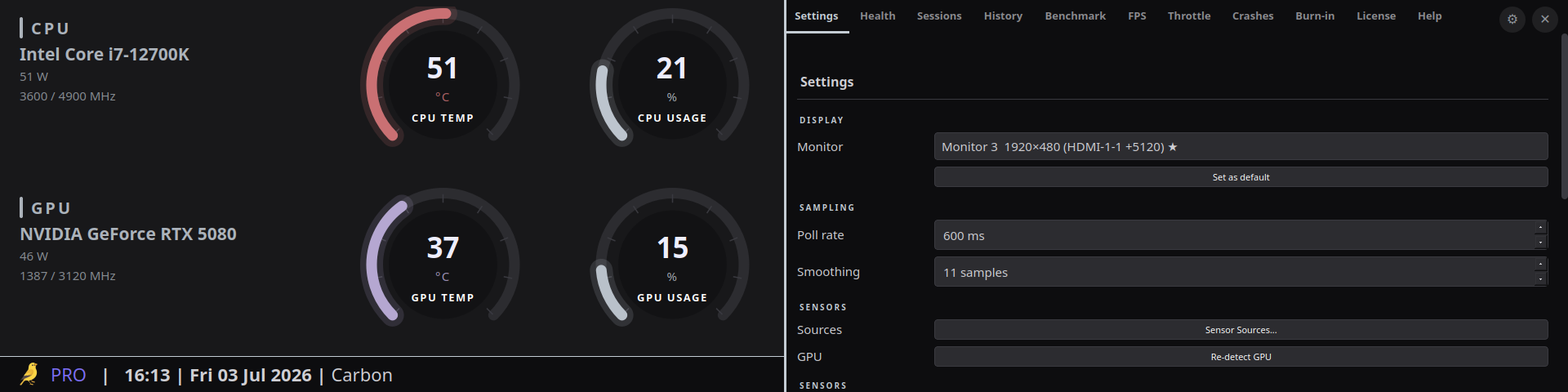
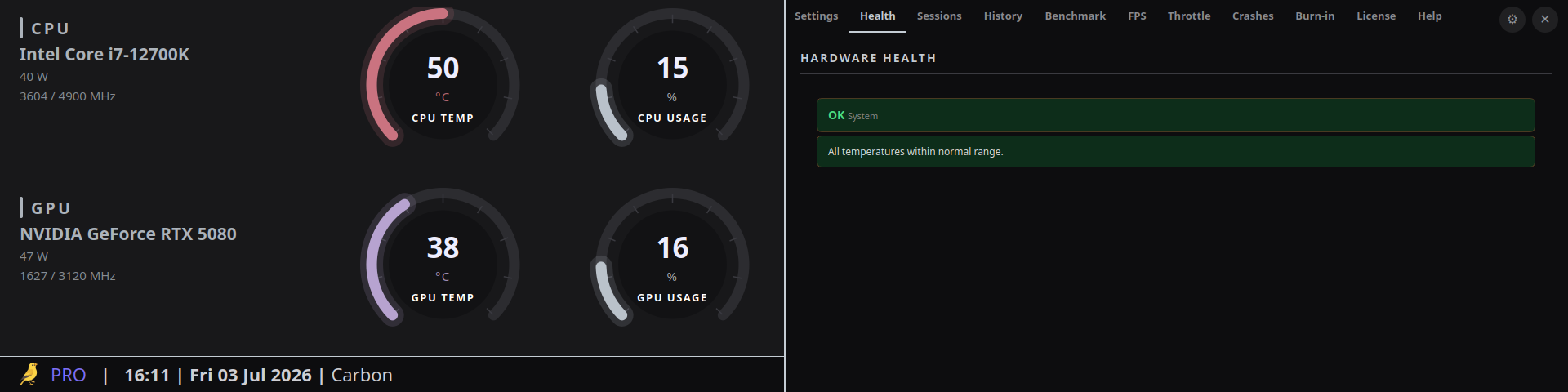
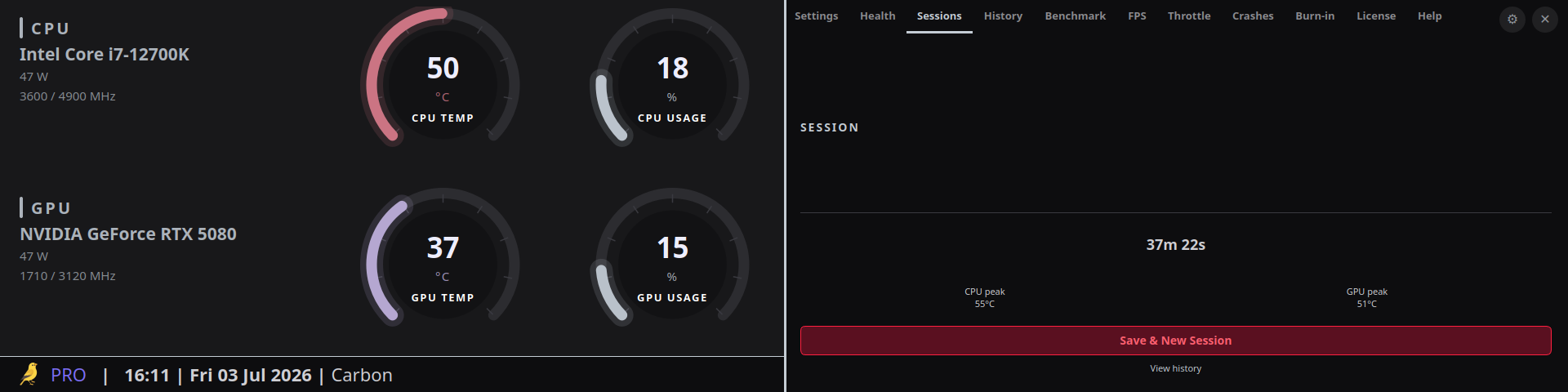
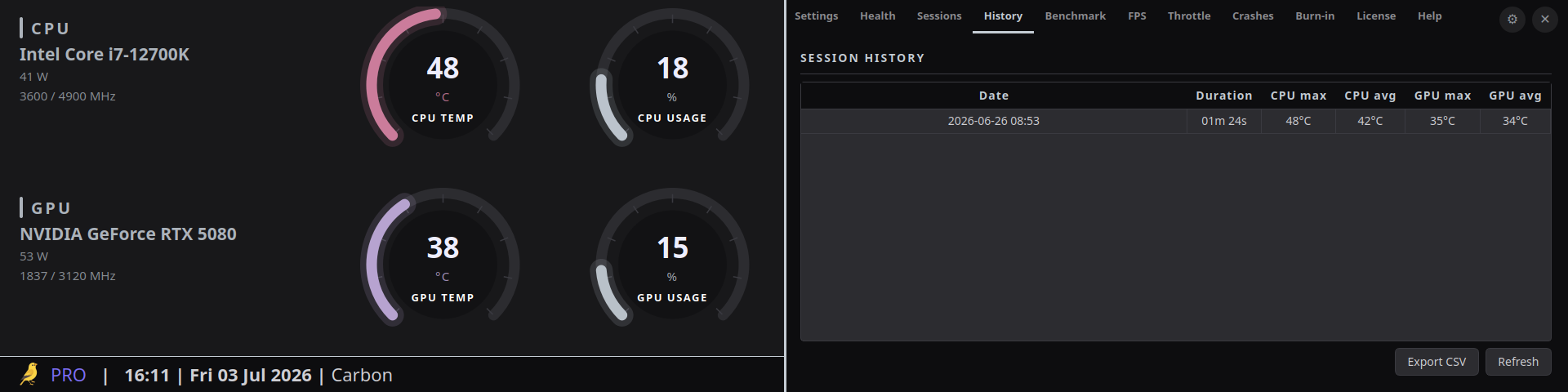
No demo video, no mockups - these are the actual Settings, Health, Sessions, Benchmark, FPS, Throttle, Crashes, and Burn-in tabs you'll be running.
The math
Your GPU cost €500 to €2000. Thermal Canary Pro costs€59 all taxes included
That's 3% to 12% of what you paid for the card - less than a repaste kit. The alternative is finding out the hard way.
One price. Own it forever.
No subscription, ever.
- Perpetual license for every v1.x release
- All 6 killer Pro features unlocked
- Session history, CSV export, health diagnostic
- No telemetry, no cloud sync of any hardware or sensor data
- One concurrent machine, instant re-activation on reinstall
Payments handled securely by Stripe. Sold under the French VAT exemption for small businesses (art. 293 B CGI); the displayed price is the total.










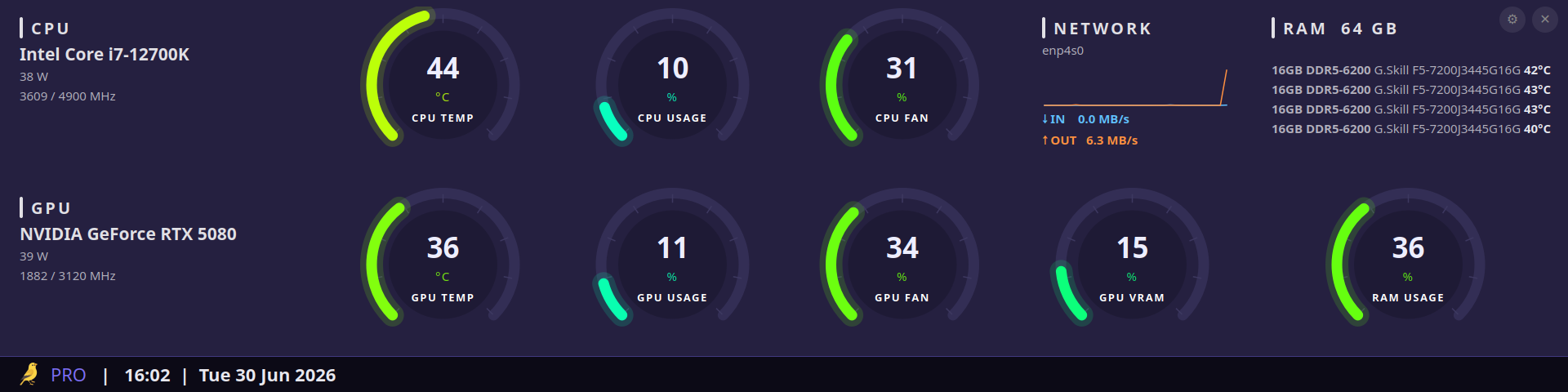
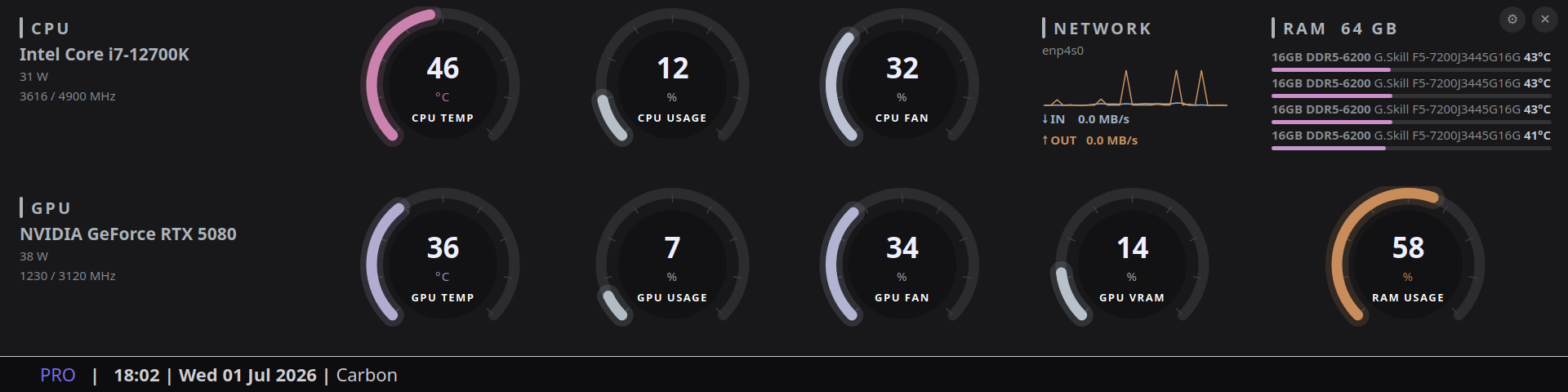
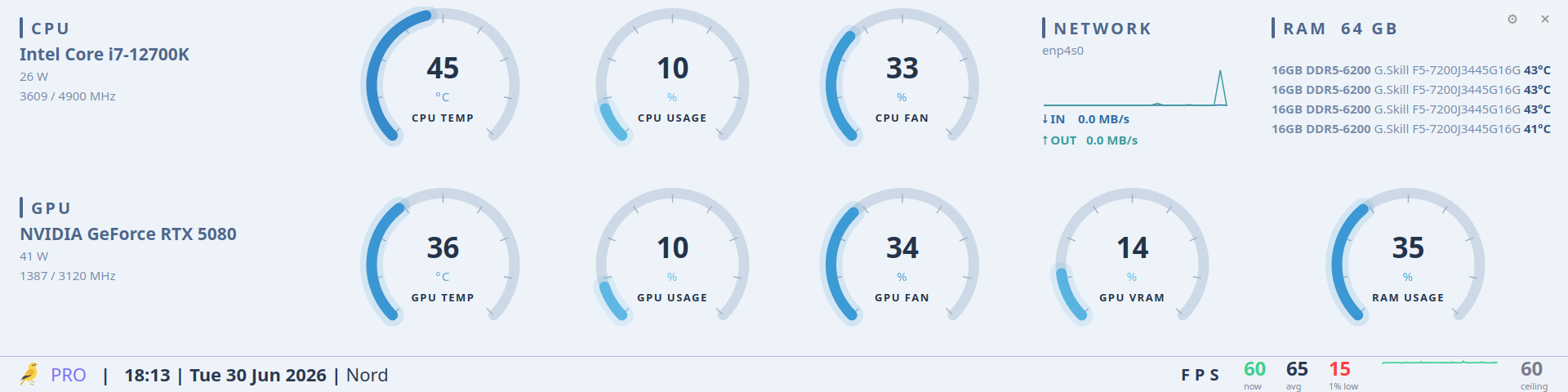
Built-in color themes for every setup.
Same live data, tuned for OLED panels, bright rooms, or late-night sessions.
Straight answers.
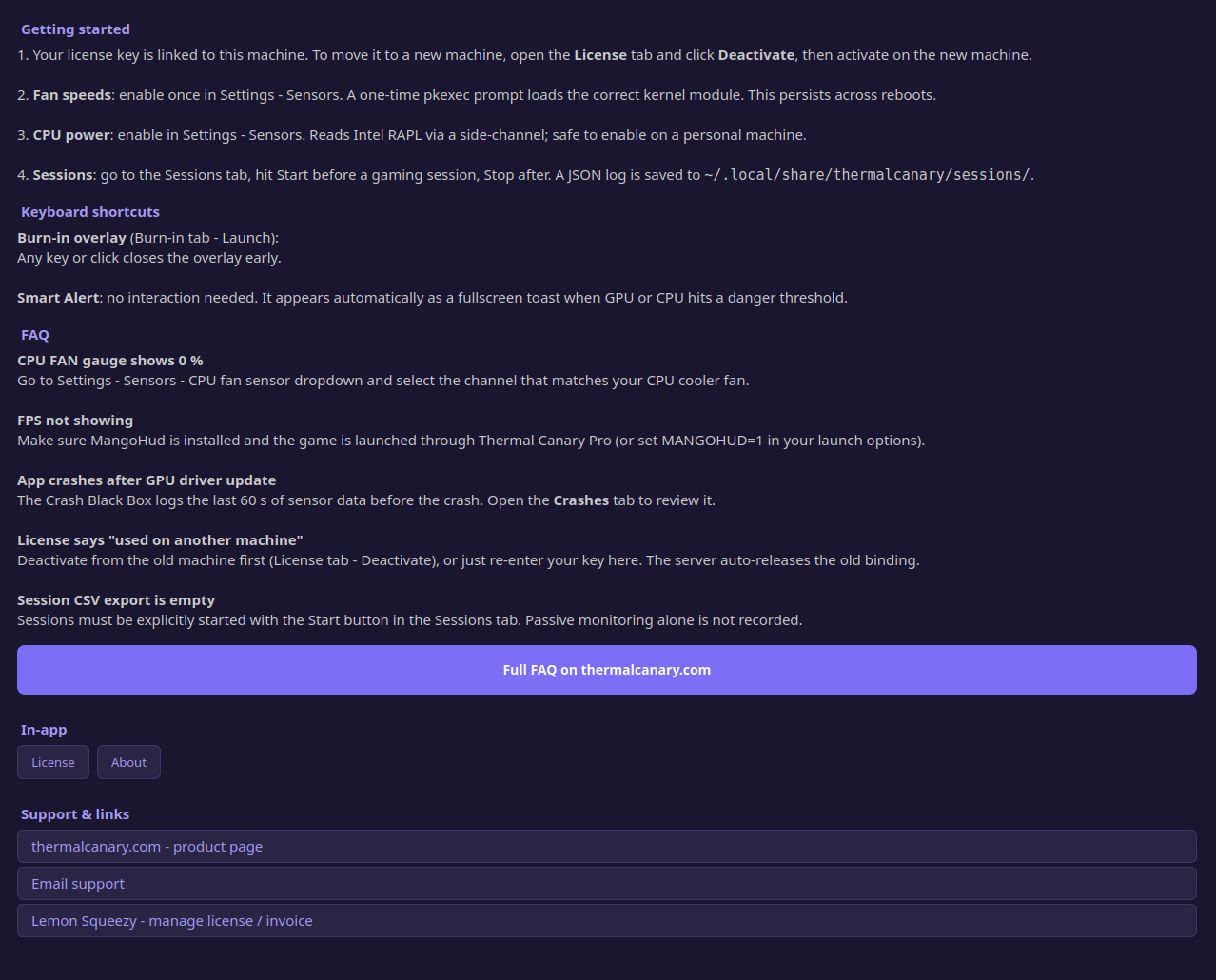
Is this a subscription?
No. €59 (all-inclusive, no VAT applicable) once, forever, for every v1.x release. Linux power users are hostile to SaaS pricing on desktop tools, and so are we. A future major version (v2) will be a separate paid upgrade at a steep discount for existing owners - never a recurring charge.
Does it phone home?
Only for one narrow thing: enforcing a revoked or superseded license. On activation the app fetches a signed Ed25519 token, then at startup and roughly every 24 hours it makes one small POST to /api/v1/refresh sending only that opaque device token - no license key, no machine identifier, no hardware data, no sensor readings, no usage information. Nothing about your hardware, your games, your sessions, your health diagnostics, or your crashes ever leaves your machine. Point Wireshark at it and check.
Free vs Pro - what's the real difference?
Free shows what's happening right now: six live gauges, no memory. Pro remembers, compares, and watches for you - session history, crash forensics, throttle diagnosis, and alerts while you're heads-down in a game.
What hardware do I need?
Any Linux desktop with lm-sensors, an NVIDIA or AMD GPU, and a kernel new enough to expose hwmon (basically anything from the last decade). Steam/Proton gaming and overclocking rigs are exactly what this was built for.
Why no Windows version?
Thermal Canary reads Linux's hwmon kernel interface directly - there's no equivalent on Windows without a completely different sensor stack. We're running the Linux channel hard for now rather than splitting focus.
What if I reinstall my OS or swap my disk?
Activating on a new machine automatically releases the license from the old one - no support ticket, no waiting. Just re-enter your key.
Does it collect any telemetry?
No, and not by default ever. There is no analytics SDK, no crash reporter phoning out, no usage tracking. Session history, health diagnostics, and crash dumps all stay in local files on your machine (~/.local/share/thermalcanary/).
NVIDIA or AMD, does it matter?
Both are fully supported for temperature, usage, fan, VRAM, and power via NVML (NVIDIA) or amdgpu (AMD). One exception: the Hotspot Delta Analyzer is AMD-only, because NVIDIA's Linux driver doesn't publicly expose GPU junction temperature the way amdgpu does.
Can I use one license on my desktop and my laptop?
One license activates one machine at a time. Switching machines is instant and free (the old activation is auto-released), but two machines can't be active simultaneously. If you regularly hop between two rigs, keep that in mind.
What happens if the license server is down?
Nothing, for two weeks. Thermal Canary Pro checks in at startup and roughly every 24 hours, but if the server is unreachable it keeps working for 14 days from your last successful check. A short outage or a trip off-grid won't lock you out.
Is the free app really open source?
Yes, MIT licensed, on GitHub. Pro is a closed-source paid extension that injects panels into the free app; the core sensor reading, gauges, and window are 100% free and always will be.
Does the alert overlay show up in screen recordings or streams?
It only appears when it needs to (a real thermal, power, or fan event), as a small toast in the corner of the screen for about 3 seconds. It's a real window, so yes, it can appear on a capture, same as any other overlay like MangoHud.
Is Thermal Canary an overlay, like AIDA64's sensor panel?
No. The main app is a standalone fullscreen window, not something that sits on top of your game - most people run it on a spare monitor or an ultrawide strip. The only thing that ever overlays your game is the Pro Smart Alert Overlay, and it stays invisible until there's an actual thermal, power, or fan event to warn you about.
Will the AppImage run on my distro?
It needs a reasonably current system: glibc 2.39 or newer (Ubuntu 24.04+, Debian 13+, current Arch, current Fedora, NixOS). Older LTS releases like Ubuntu 22.04 or Debian 12 may not launch it. If it won't start, check your glibc version first (ldd --version); if the AppImage itself won't mount, install libfuse2 or run it with --appimage-extract-and-run.
Real product mechanics, no generic thermal tips.
We built a silent alert for your GPU. Then PyQt6 made it actually silent.
July 30, 2026
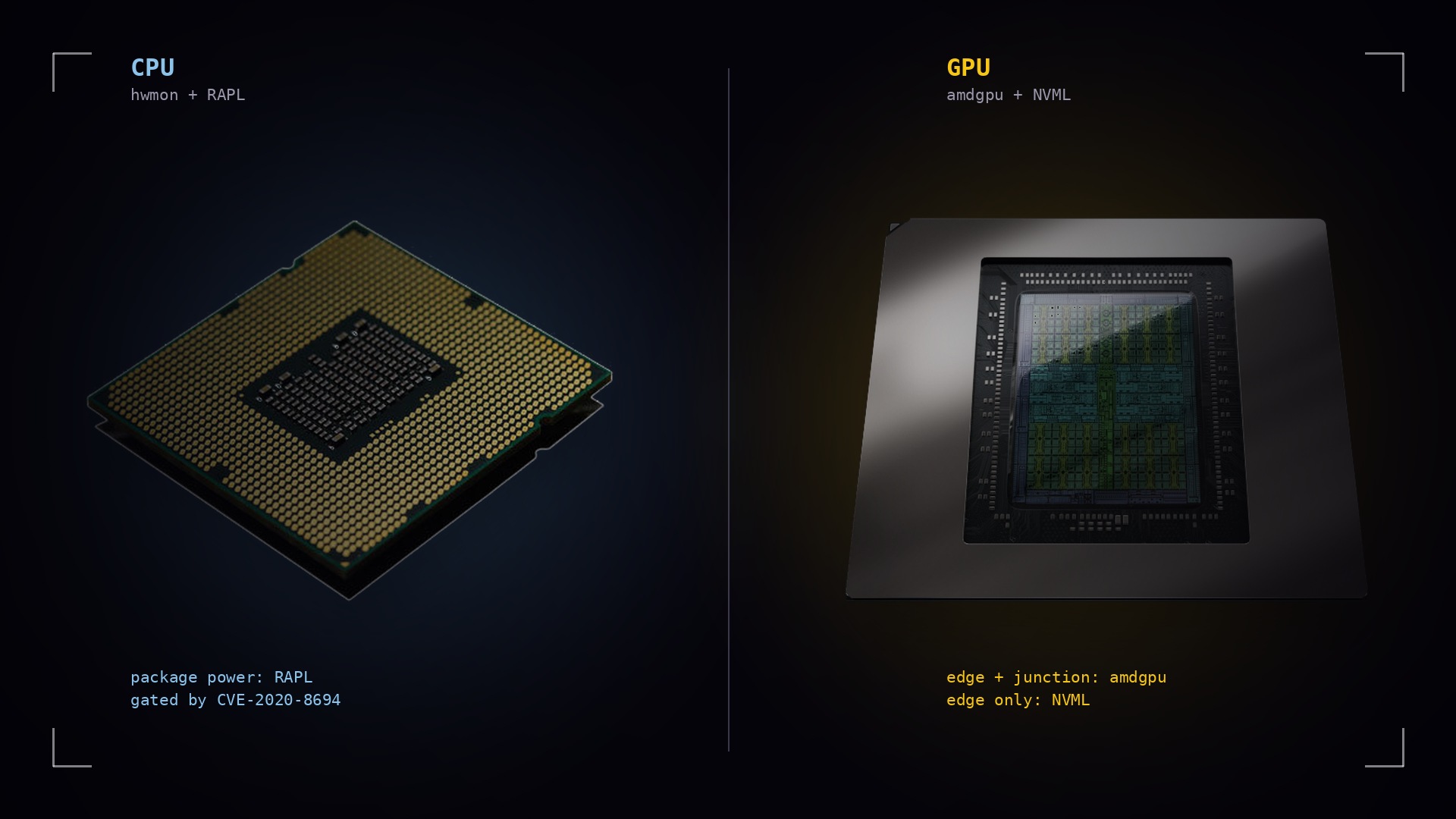
What Linux actually tells you about your hardware, and what it flatly won't
July 24, 2026
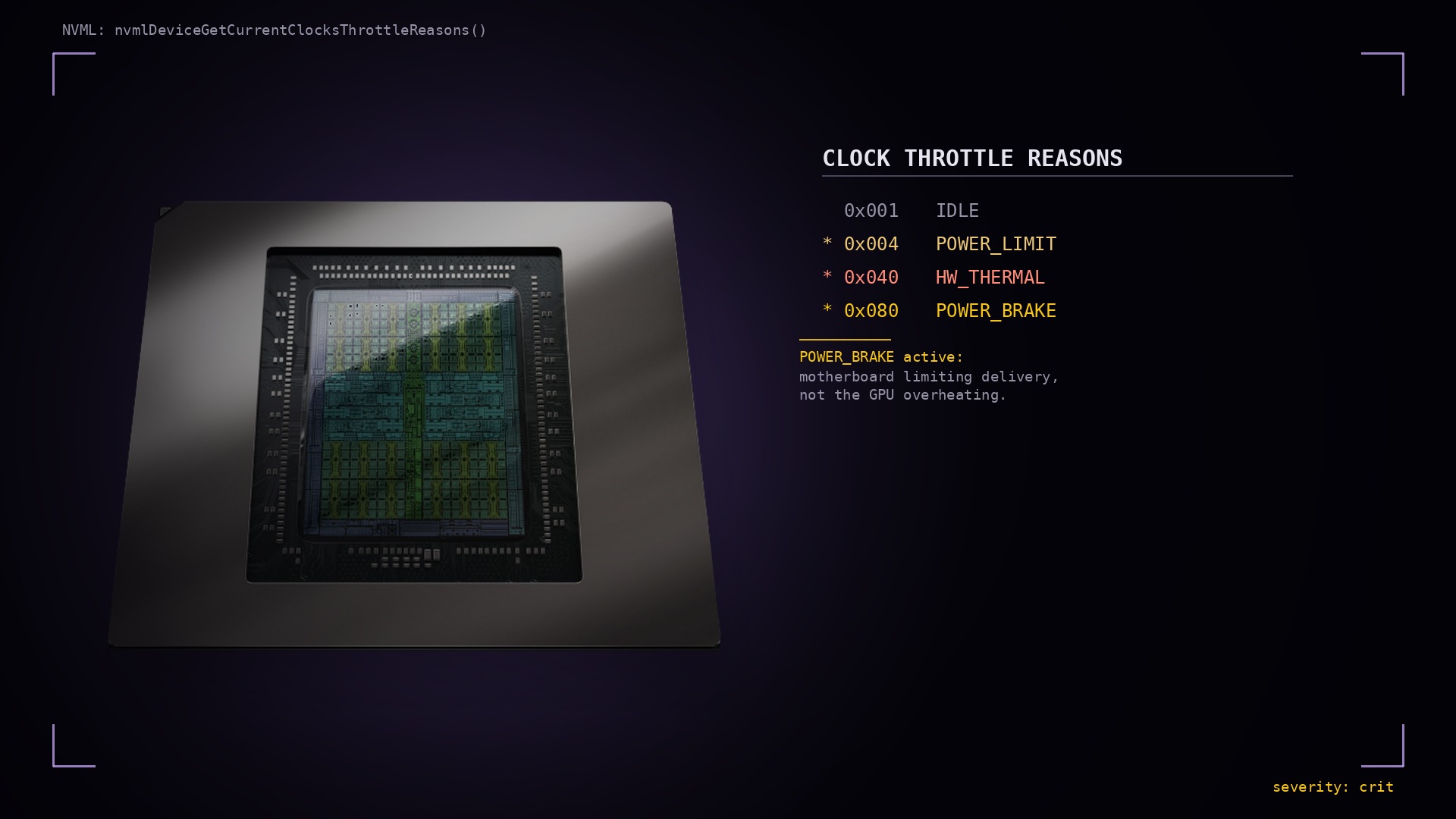
Your GPU already knows why your FPS dropped. NVIDIA just never shows you.
July 17, 2026
Your GPU is running right now.
It took months to save for and minutes to install, and it's the most expensive part in your rig. A stuck fan or a bad repaste can kill it quietly, with no warning until the screen goes black. Don't find out the hard way. Know before it burns.
Get Thermal Canary Pro - €59 all taxes included